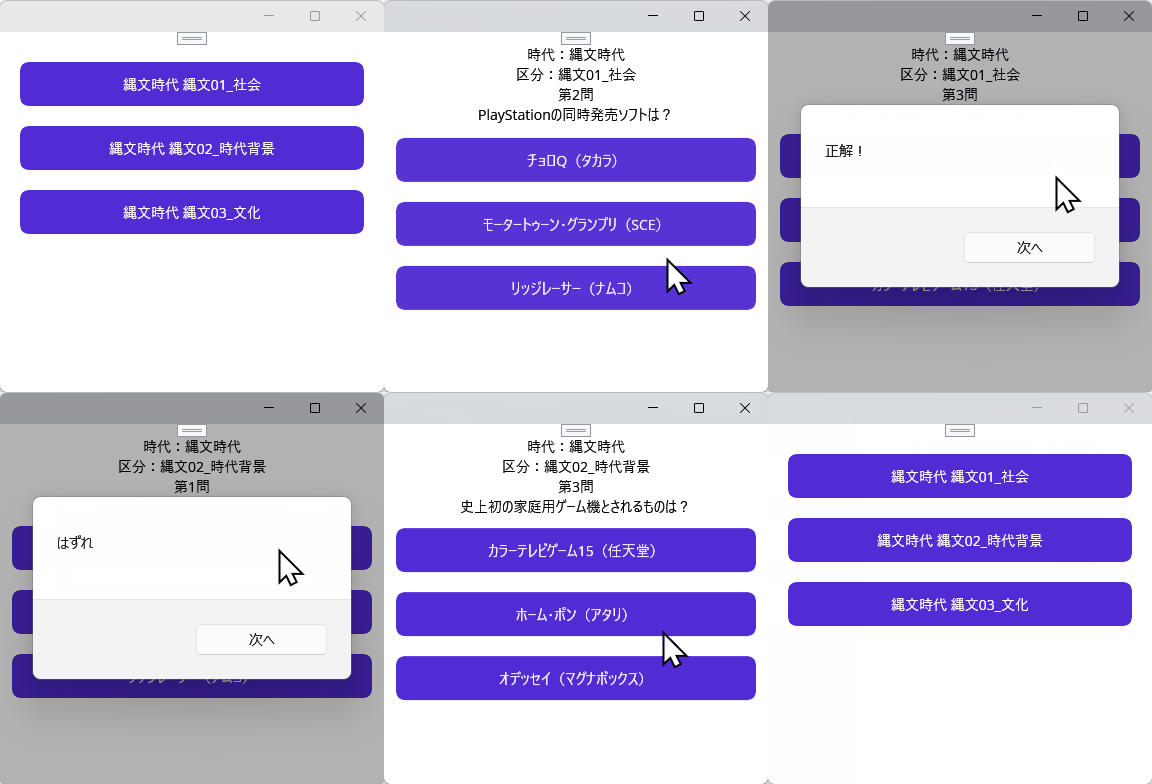
実現したいこと
アプリとしては、クイズゲームのひな形ができました。
cs, xaml の配列化を実現するコードを教えてください。
発生している問題・分からないこと
cs, xaml の配列化がわかりません。
該当のソースコード
xaml
1 [Section_0100_100.xaml]
2 <?xml version="1.0" encoding="utf-8" ?>
3 <ContentPage xmlns="http://schemas.microsoft.com/dotnet/2021/maui"
4 xmlns:x="http://schemas.microsoft.com/winfx/2009/xaml"
5 x:Class="dic1980_game.Section_0100.Section_0100_100">
6 <Grid Padding="12">
7 <!-- 上部を自動高さ(Auto)で積み、最後を残り領域(*)にする -->
8 <Grid.RowDefinitions>
9 <RowDefinition Height="Auto" />
10 <!-- タイトル -->
11 <RowDefinition Height="Auto" />
12 <!-- 区分 -->
13 <RowDefinition Height="Auto" />
14 <!-- 問題数 -->
15 <RowDefinition Height="Auto" />
16 <!-- 問題 -->
17 <RowDefinition Height="Auto" />
18 <!-- 選択ボタン群(縦に並べる)-->
19 <RowDefinition Height="Auto" />
20 <!-- 結果/解説/次へボタン -->
21 <RowDefinition Height="*" />
22 <!-- スクロール領域(残りを占有)-->
23 </Grid.RowDefinitions>
24
25 <Label Text="時代:縄文時代" HorizontalOptions="Center" Grid.Row="0" />
26 <Label Text="区分:縄文01_社会" HorizontalOptions="Center" Grid.Row="1" />
27 <Label x:Name="QuestionCountLabel" HorizontalOptions="Center" Grid.Row="2" />
28 <Label x:Name="QuestionLabel" HorizontalOptions="Center" Grid.Row="3" />
29 ...
xaml
1 [Section_0100_200.xaml]
2 <?xml version="1.0" encoding="utf-8" ?>
3 <ContentPage xmlns="http://schemas.microsoft.com/dotnet/2021/maui"
4 xmlns:x="http://schemas.microsoft.com/winfx/2009/xaml"
5 x:Class="dic1980_game.Section_0100.Section_0100_200">
6 <Grid Padding="12">
7 <!-- 上部を自動高さ(Auto)で積み、最後を残り領域(*)にする -->
8 <Grid.RowDefinitions>
9 <RowDefinition Height="Auto" />
10 <!-- タイトル -->
11 <RowDefinition Height="Auto" />
12 <!-- 区分 -->
13 <RowDefinition Height="Auto" />
14 <!-- 問題数 -->
15 <RowDefinition Height="Auto" />
16 <!-- 問題 -->
17 <RowDefinition Height="Auto" />
18 <!-- 選択ボタン群(縦に並べる)-->
19 <RowDefinition Height="Auto" />
20 <!-- 結果/解説/次へボタン -->
21 <RowDefinition Height="*" />
22 <!-- スクロール領域(残りを占有)-->
23 </Grid.RowDefinitions>
24
25 <Label Text="時代:縄文時代" HorizontalOptions="Center" Grid.Row="0" />
26 <Label Text="区分:縄文02_時代背景" HorizontalOptions="Center" Grid.Row="1" />
27 <Label x:Name="QuestionCountLabel" HorizontalOptions="Center" Grid.Row="2" />
28 <Label x:Name="QuestionLabel" HorizontalOptions="Center" Grid.Row="3" />
29 ...
xaml
1 [Section_0100_300.xaml]
2 <?xml version="1.0" encoding="utf-8" ?>
3 <ContentPage xmlns="http://schemas.microsoft.com/dotnet/2021/maui"
4 xmlns:x="http://schemas.microsoft.com/winfx/2009/xaml"
5 x:Class="dic1980_game.Section_0100.Section_0100_300">
6 <Grid Padding="12">
7 <!-- 上部を自動高さ(Auto)で積み、最後を残り領域(*)にする -->
8 <Grid.RowDefinitions>
9 <RowDefinition Height="Auto" />
10 <!-- タイトル -->
11 <RowDefinition Height="Auto" />
12 <!-- 区分 -->
13 <RowDefinition Height="Auto" />
14 <!-- 問題数 -->
15 <RowDefinition Height="Auto" />
16 <!-- 問題 -->
17 <RowDefinition Height="Auto" />
18 <!-- 選択ボタン群(縦に並べる)-->
19 <RowDefinition Height="Auto" />
20 <!-- 結果/解説/次へボタン -->
21 <RowDefinition Height="*" />
22 <!-- スクロール領域(残りを占有)-->
23 </Grid.RowDefinitions>
24
25 <Label Text="時代:縄文時代" HorizontalOptions="Center" Grid.Row="0" />
26 <Label Text="区分:縄文03_文化" HorizontalOptions="Center" Grid.Row="1" />
27 <Label x:Name="QuestionCountLabel" HorizontalOptions="Center" Grid.Row="2" />
28 <Label x:Name="QuestionLabel" HorizontalOptions="Center" Grid.Row="3" />
29 ...
c#
1 [ Section_0100_100 . xaml . cs ]
2 # pragma warning disable CS0618
3
4 using System ;
5 using System . Collections . Generic ;
6 using System . IO ;
7 using System . Text ;
8 using System . Threading . Tasks ;
9 using Microsoft . Data . Sqlite ;
10 using Microsoft . Maui . Storage ;
11 using Microsoft . Maui . Controls ;
12
13 namespace dic1980_game . Section_0100 ;
14
15 public partial class Section_0100_100 : ContentPage
16 {
17 // 「時代」ー「部分」で異なる部分の定義
18 // DBファイル名(必要に応じて変更)
19 public const string dbFileName = "history_2026_01_24.sqlite3" ;
20 // デバッグ用に絶対パスを指定している場合はそのまま、通常は FileSystem.AppDataDirectory を使う
21 public static string dbPath = Path . Combine ( FileSystem . AppDataDirectory , dbFileName ) ;
22 // テーブル名とカラム名をプロジェクトで指定された日本語のスキーマに合わせる
23 public static string read_SQL =
24 @ "SELECT " "ID" ", " "時代" ", " "部分" ", " "問題" ", " "選択肢1" ", " "選択肢2" ", " "選択肢3" ", " "選択肢4" ", " "答え" ", " "難易度" ", " "解説" "
25 FROM "" クイズ_問題 ""
26 WHERE "" 部分 "" = '縄文01_社会'
27 ORDER BY "" ID "" ; " ;
28
29 // クラス全体で使用する変数を定義
30 public static int m_iSelectNumber = 0 ;
31 public static int m_i現在の問題の番号 = 0 ; // 0から始まる
32 public static int m_i正解数 = 0 ;
33 public static int m_i不正解数 = 0 ;
34 . . .
[Section_0100_200.xaml.cs]
#pragma warning disable CS0618


namespace dic1980_game.Section_0100;

public partial class Section_0100_200 : ContentPage
{
    //  「時代」ー「部分」で異なる部分の定義
    // DBファイル名(必要に応じて変更)
    public const string dbFileName = "history_2026_01_24.sqlite3";
    // デバッグ用に絶対パスを指定している場合はそのまま、通常は FileSystem.AppDataDirectory を使う
    public static string dbPath = Path.Combine(FileSystem.AppDataDirectory, dbFileName);
    // テーブル名とカラム名をプロジェクトで指定された日本語のスキーマに合わせる
    public static string read_SQL =
                @"SELECT ""ID"", ""時代"", ""部分"", ""問題"", ""選択肢1"", ""選択肢2"", ""選択肢3"", ""選択肢4"", ""答え"", ""難易度"", ""解説""
                  FROM ""クイズ_問題""
                  WHERE ""部分"" = '縄文02_時代背景'
                  ORDER BY ""ID"";";

    //  クラス全体で使用する変数を定義
    public static int m_iSelectNumber = 0;
    public static int m_i現在の問題の番号 = 0; // 0から始まる
    public static int m_i正解数 = 0;
    public static int m_i不正解数 = 0;
...
試したこと・調べたこと
上記の詳細・結果
上のソースで、省略している部分は同じです。 なので、文字の都合もありますが、省略しています。
Section_0100_100.xaml
Section_0100_200.xaml
Section_0100_300.xaml
[Section_0100_100.xaml.cs]
[Section_0100_200.xaml.cs]
[Section_0100_300.xaml.cs]
の部分だけ違います。
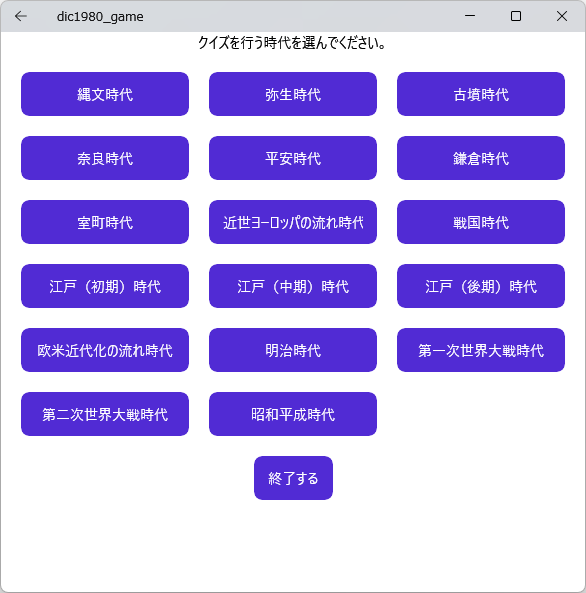
現在、Section_1700 まであって、修正が大変なので、改善したいと思ってます。
補足
[環境]OS:Windows 11 (とりあえずwindowsが動けば良い、androidは、windows で動作確認できてから)
質問後追加
TN8001さん、質問をご覧の方
[Section_0100_100.xaml]
TN8001さんがおっしゃる、MVVMについては、まだ勉強していないので、ごめんなさい。
ソースコード一式


 Q&A
Q&A


 ベストアンサー