

 Q&A
Q&A
実現したいこと
Webページの最上部(の端)と背景画像の最上部がぴったり合うようにし、なおかつ文字とボタンも少し下にずらしたい
発生している問題・分からないこと
背景画像を設定した際に上に余白が開いてしまう(画像参照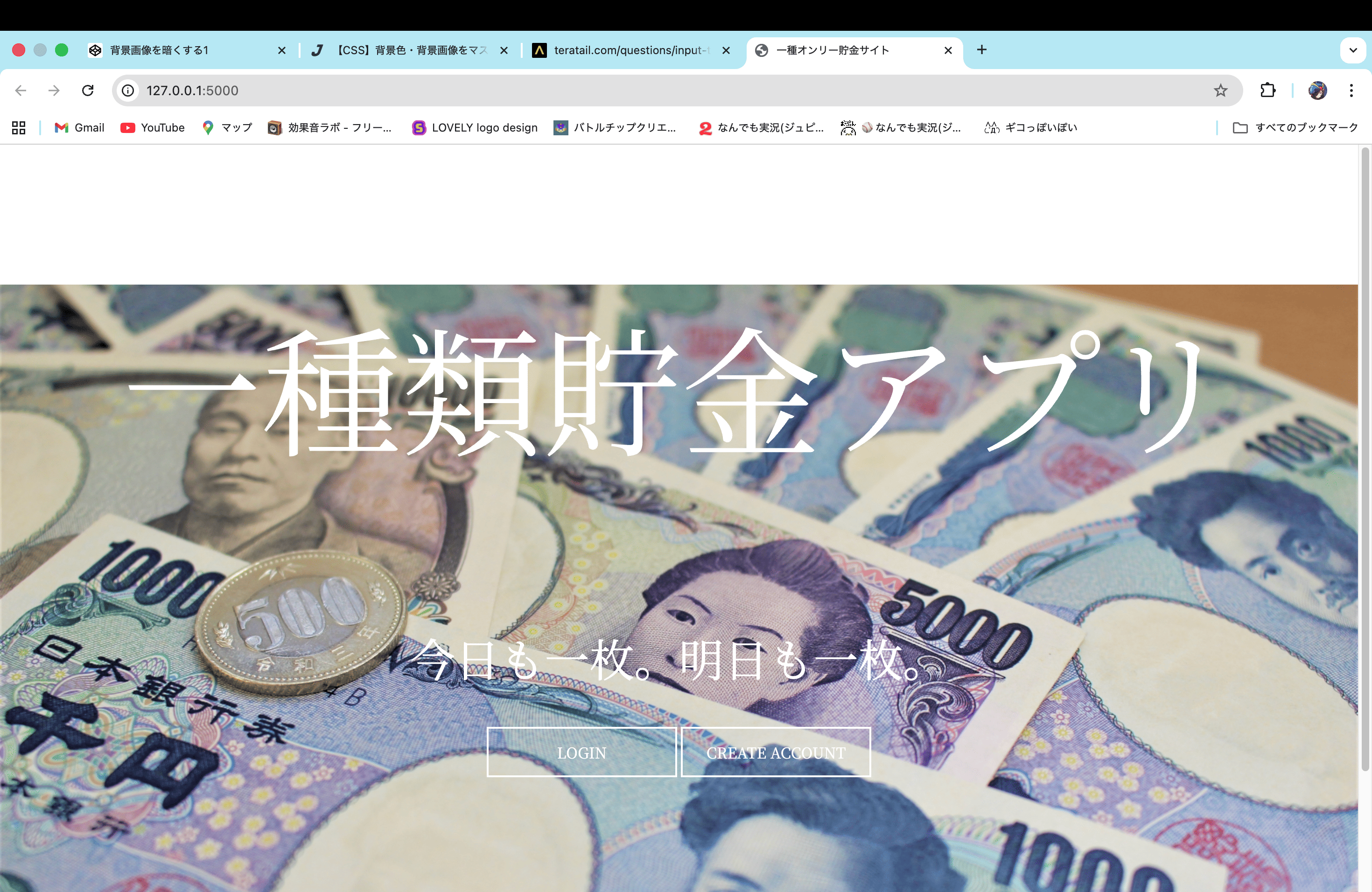 )
)
該当のソースコード
HTML
1<!DOCTYPE html> 2<html lang="ja"> 3<head> 4 <meta charset="UTF-8"> 5 <link rel="preconnect" href="https://fonts.googleapis.com"> 6 <link rel="preconnect" href="https://fonts.gstatic.com" crossorigin> 7 <link href="https://fonts.googleapis.com/css2?family=Noto+Serif+JP:wght@200..900&display=swap" rel="stylesheet"> 8 <link href="{{ url_for('static', filename='css/style.css') }}" rel="stylesheet" type="text/css" media="all"/> 9 <title>一種オンリー貯金サイト</title> 10</head> 11<body> 12 <div class="entrance_background"> 13 <p class="entrance_title">一種類貯金アプリ</p> 14 <p class="entrance_subtitle">今日も一枚。明日も一枚。</p> 15 <div class="buttons_container"> 16 <a class="entrance_button" href="#"><span class="text">LOGIN</span></a> 17 <a class="entrance_button" href="#"><span class="text">CREATE ACCOUNT</span></a> 18 </div> 19 </div> 20</body> 21</html>
CSS
1body{ 2 font-family: "Noto Serif JP", Arial,serif; 3 margin: 0; 4 padding: 0; 5} 6 7h1, 8h2{ 9 color: #333333; 10 text-align: center; 11 margin-top: 20px; 12} 13 14.buttons_container{ 15 text-align: center; 16 margin-top: 40px; 17} 18 19.entrance_title{ 20 font-size: 150px; 21 color: white; 22 text-align: center; 23} 24 25.entrance_subtitle{ 26 font-size: 48px; 27 margin-top: 50px; 28 margin-bottom: 30px; 29 color: white; 30 text-align: center; 31} 32 33.entrance_background{ 34 background: url(../images/entrance_logo.jpg); 35 background-size: cover; 36 background-repeat: no-repeat; 37 background-position: center center; 38 39 width: 100%; 40 height: 100vh; 41 position: relative; 42} 43 44 45 46.entrance_button{ 47 display: inline-block; 48 background: rgba(0,0,0,0); 49 width: 200px; 50 line-height: 50px; 51 color: white; 52 font-size: auto; 53 border: solid 2px white; 54 text-decoration: none; 55 -webkit-transition: 0.5s all; 56 transition: 0.5s all; 57} 58 59 60 61.entrance_button:hover{ 62 background: rgba(255,255,255,1); 63 color: black; 64 cursor: pointer; 65} 66 67.display_p{ 68 text-align: center; 69 font-size: 24px; 70 margin-bottom: 20px; 71} 72 73.kingaku{ 74 font-weight: bold; 75 font-size: 36px; 76 font-style: italic; 77}
試したこと・調べたこと
- teratailやGoogle等で検索した
- ソースコードを自分なりに変更した
- 知人に聞いた
- その他
上記の詳細・結果
.entrance_titleにmargin-top: 0px;を追加したら背景画像はWebページの最上部(の端)と背景画像の最上部がぴったり合うようになったが、文字が上寄りになった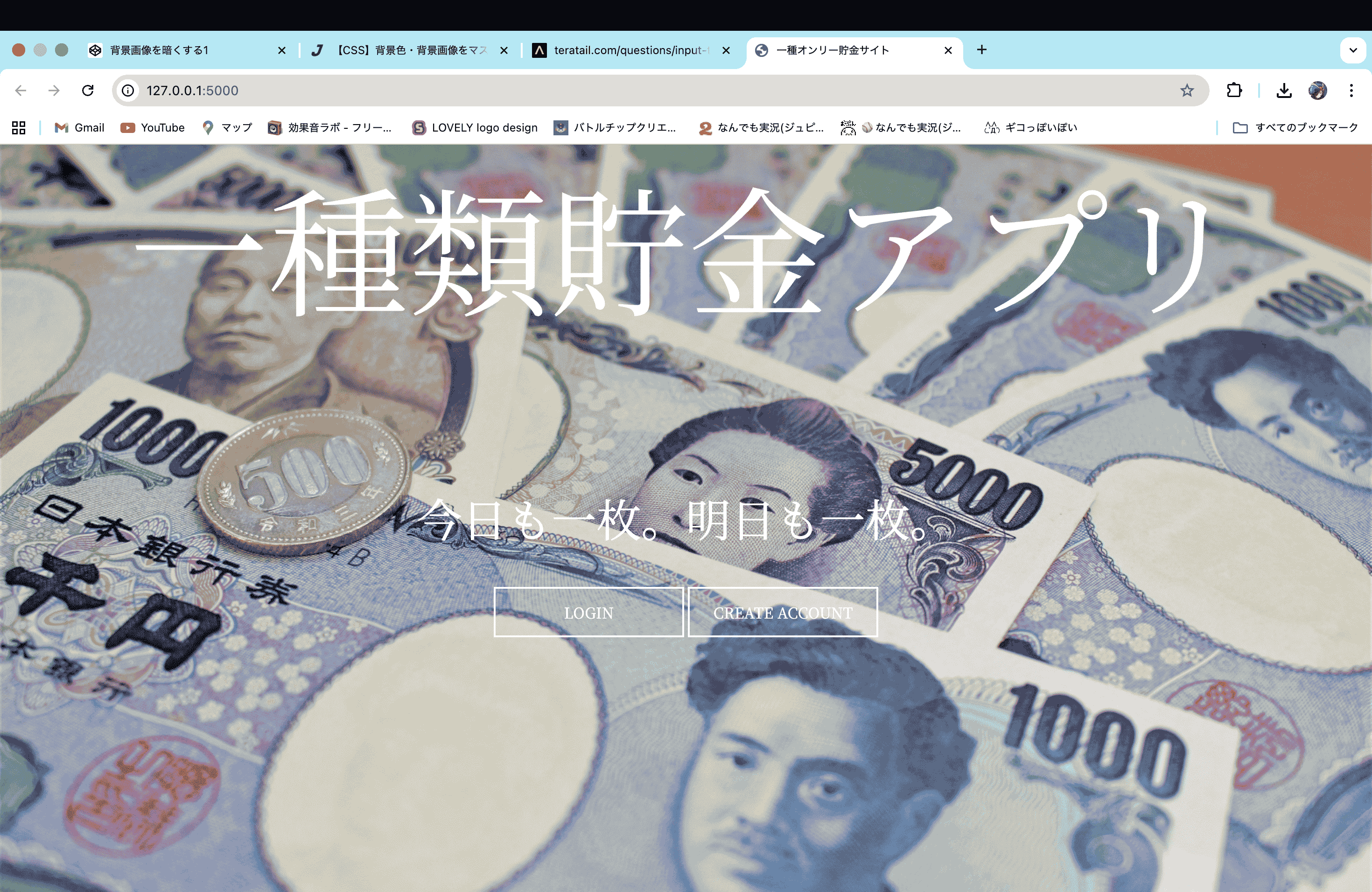
補足
特になし


回答1件
 自己解決
自己解決あなたの回答

tips
プレビュー


